Appointment Scheduling · The basics
Sharing files and file formats in appointment booking forms.
Save time and validate the request at booking
Ask for supporting documents or a precise qualification of the request
The Agendize platform lets you add a file upload request to online appointment booking forms.
For an insurer, this can be a way to assess a claim; for a tradesperson, to get more information about the site where the work will be done; and for an account manager, a way to understand the request precisely before the appointment.
In all cases, it lets you pre-qualify the request so you can collect all the information needed for a successful appointment and to move the project forward.
Custom fields to request a file upload
Custom fields in the Agendize back office
To add a file request to the booking flow, go to the Settings / Customer experience / Widget fields screen.
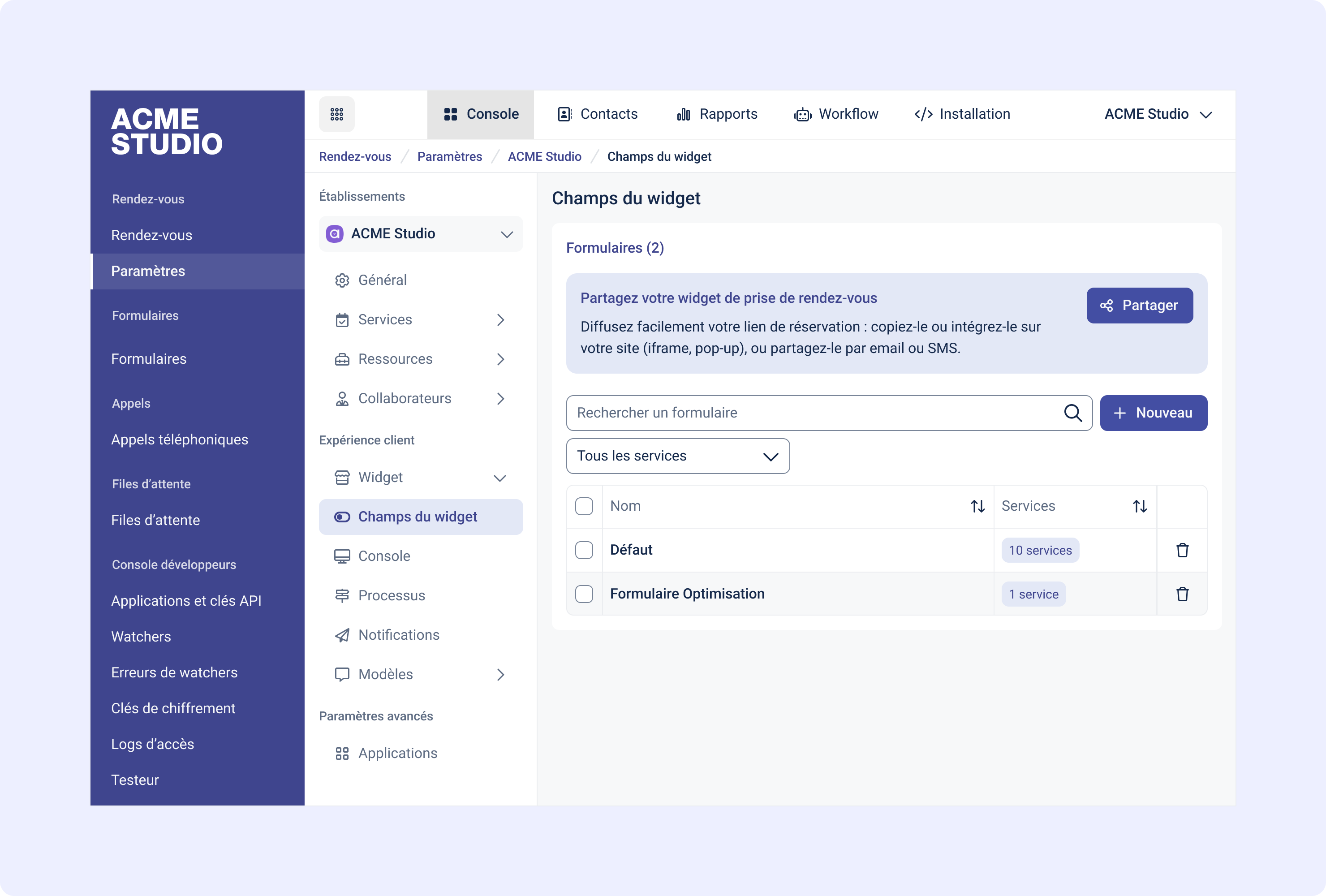
You can then add information fields that will be requested during booking, either for all services or for specific services only.
In that case, create a new form using “New”, then select the services associated with this form from the list of services:
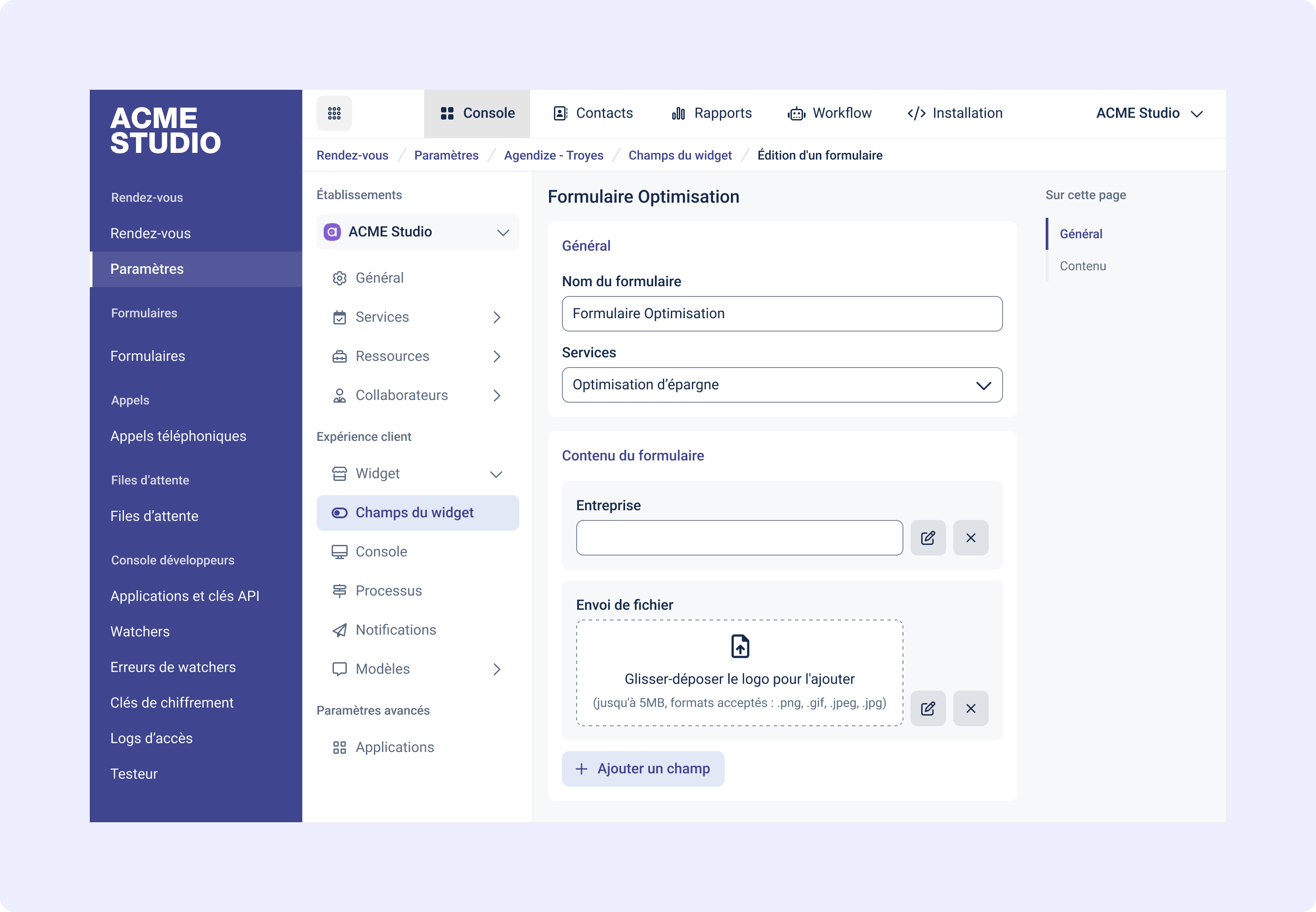
To give more details about the requested documents, you can customize your message by editing the field title.
This way, you can specify whether the file upload is optional or required and indicate your preferred file formats, for example.
Your message will then appear on the widget:

Accepted formats for sharing documents through forms
For file sharing, you can request different extensions:
These are the most common extensions and let you easily collect images, documents, presentations, and spreadsheet files:
.gif, .jpeg, .jpg, .tif, .bmp, .png, .txt, .rtf, .html, .htm, .csv, .css, .doc, .dot, .xls, .xla, .pdf, .ppt, .pps, .ppz, .pot, .od, .svg, .webp, .tiff, .xlsx, .docx, .odt, .ppsx, .pptx, .odp, .ods
Was this article helpful?
That’s Great!
Thank you for your feedback
Sorry! We couldn't be helpful
Thank you for your feedback
Feedback sent
We appreciate your effort and will try to fix the article